![Getfluence_logo_noir-1.png]](https://help.getfluence.com/hs-fs/hubfs/Getfluence_logo_noir-1.png?height=40&name=Getfluence_logo_noir-1.png)
What are AI visibility tool integrations?
AI visibility tools measure how AI engines (ChatGPT, Perplexity, Gemini, etc.) cite your brand. By connecting your tool to Getfluence, you start from the prompts and sources already tracked in your tool, without redefining them, to:
- identify the sources AI engines cite on your prompts;
- see which of these sources are available in the Getfluence catalog;
- request mentions in these articles.
How do I connect my tool?
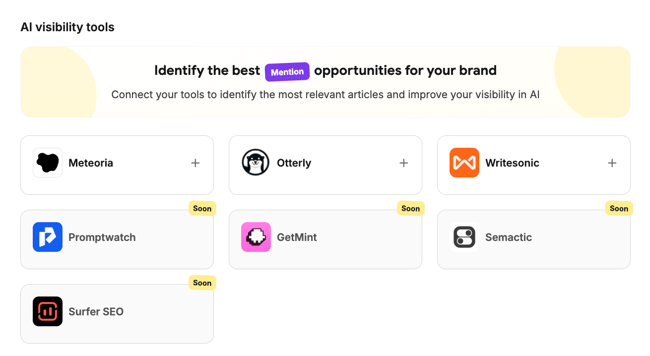
Go to Integrations > AI visibility tools and click + on the card of your tool. The connection method depends on the tool.
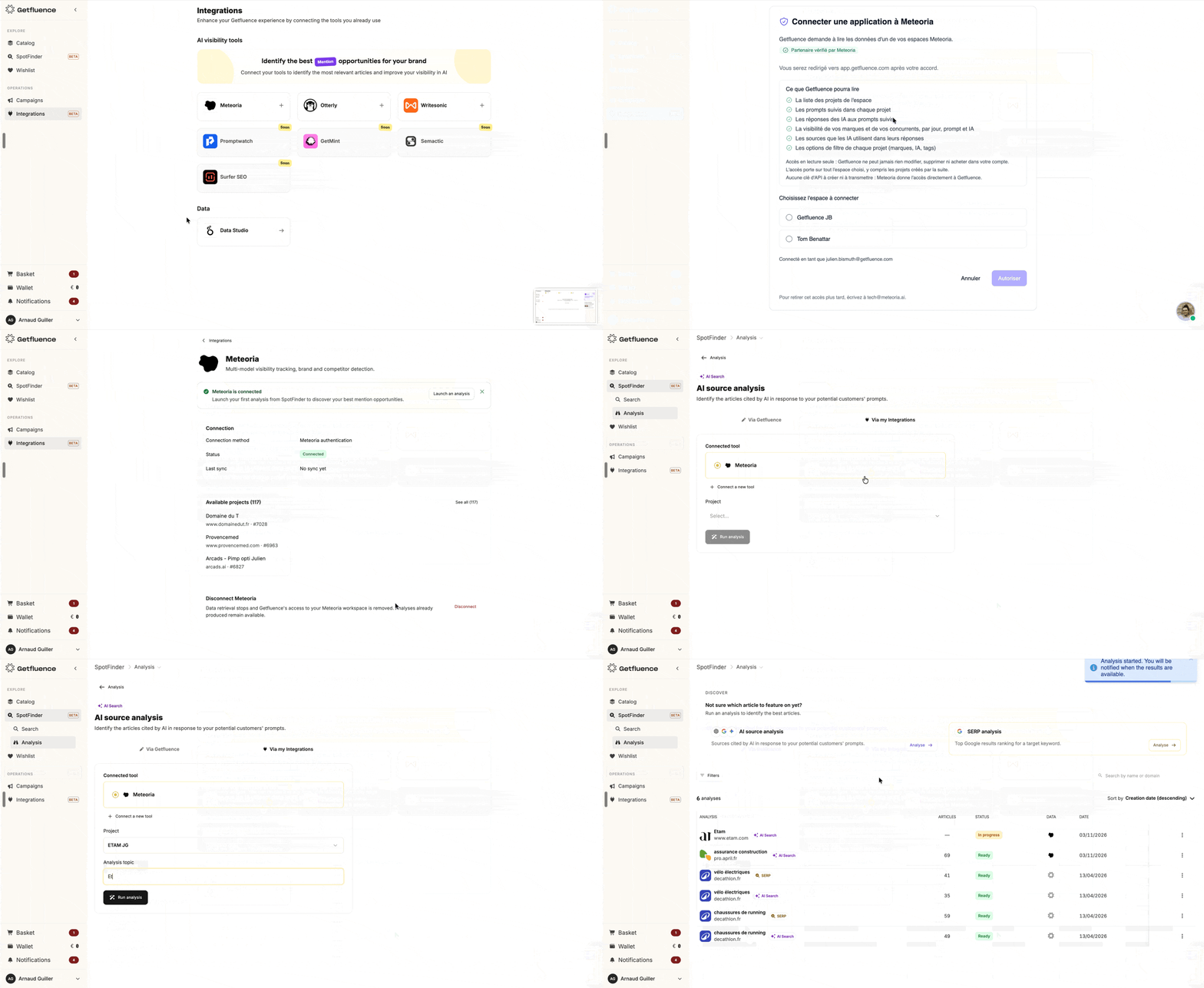
Log in with your tool credentials (example with Meteoria):
- Click + on the Meteoria card.
- Log in with your Meteoria credentials.
- Authorize access to Getfluence.
No API key is required. The integration is available on all Meteoria plans.
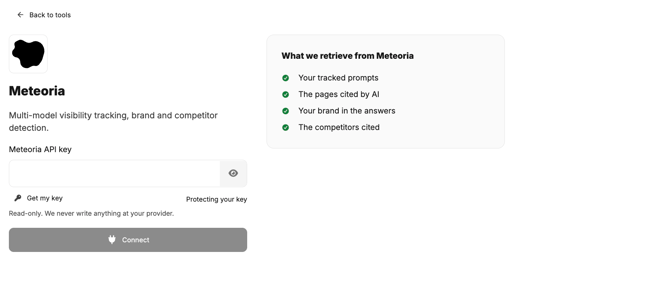
Connect with an API key:
- Click + on the tool card.
- Click Get my key to retrieve your API key from your tool account.
- Paste the key in the API key field.
- Click Connect.
How do I manage my connections?
In Integrations > AI visibility tools, each connection displays:
- its live status (connected or requiring action);
- the projects available in your tool account, which you can select when launching an analysis.
If a connection is broken, its status indicates the action to take (for example, log in again or replace the API key). Fix the connection before launching a new analysis.
How do I launch an Analysis from my tool?
- Launch an AI Search analysis and select your connected tool as the source. No analysis starts automatically.
- Only recently detected sources are retrieved from your tool, not its full source history.
- All prompts from your tool project are imported, with no limit on the number of prompts.
- Results are available within 10 to 15 minutes. You receive an email and a notification.
- The analysis reflects the latest data available in your tool at launch. It is not updated automatically.
How do I use the results?
- Review the sources: only sources whose media is in the Getfluence catalog are displayed, with a reference price. Sources outside the catalog (such as Reddit, Wikipedia or brand websites) cannot be purchased. Results are sorted by number of AI citations, by article or by site.
- Request a Mention (informational articles, guides, reviews): the request is free. Write your mention text yourself, or use the AI-Mention™ writing option (fixed price, billed only if the mention is published). The publisher accepts or declines within 10 days. If accepted, the mention is added to your cart and you place the order. You only pay after the publisher accepts.
- Request a position (listicles, rankings): the request is handled by the Getfluence teams, who negotiate with the publisher.
- Use Getfluence Assistant (beta): get a prioritized purchase plan covering mentions, positions in listicles and new sponsored articles such as AI-First™ on the most cited domains.
📌 Note: An active account with the tool you want to connect is required. Analysis results cannot be exported. No visibility result is guaranteed: track the impact of your mentions in your AI visibility tool.
👉 Here if you want to know more about our available Integrations for Advertisers.