![Getfluence_logo_noir-1.png]](https://help.getfluence.com/hs-fs/hubfs/Getfluence_logo_noir-1.png?height=40&name=Getfluence_logo_noir-1.png)
Registration is free and open to everyone, whether you are an advertiser or a publisher. The process takes less than 5 minutes.
Step 1: Access the registration form
Go to the Getfluence registration page: Getfluence Registration
You can also sign up directly with your Google account.
Please note: if you create your account with Google Connect, no email confirmation is required. No message will be sent to your Gmail address, the account is created automatically.
Step 2: Choose your profile
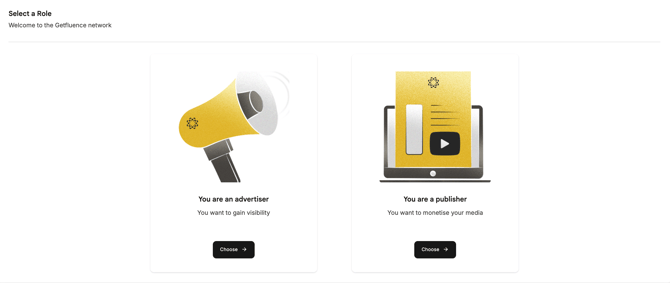
When registering, select your profile:
- Advertiser / Agency: you want to publish sponsored articles on partner media to promote your brand, products or services (or those of your clients).
- Publisher / Media / intermediary: you own or manage one or more media (websites, blogs, online magazines) and want to add them to the catalogue to receive sponsored publication orders.
Step 3: Complete your profile
Fill in all mandatory fields and answer a few qualification questions. They help us better understand your needs and optimise your experience on the Getfluence Marketplace.
For publishers: upload a valid company document or a professional proof compliant with the regulations of your country. The information entered in your profile must match the documents provided. Your request is then reviewed by the Getfluence team.
Step 4: Access your Marketplace
For advertisers: once registered, you get full access to the Marketplace (catalogue, prices and publication conditions). You can explore the catalogue, discover our additional services or place your orders directly.
For publishers: once your account is validated, you can add your media, create your offers and specify your prices, topics and publication conditions. These offers are then subject to moderation before going live on the Marketplace.
How can I optimize the visibility of my media?
For publishers: to better showcase your media in the catalogue, we recommend that you:
-
complete all website information and add your logo
-
write a clear description
-
specify the accepted or rejected topics and languages
-
indicate prices and conditions
-
create several pricing or thematic packs
-
add examples of sponsored content
-
update your offers regularly
Need help?
Your Account Manager’s contact details are available in the “My account” section. Our support team is also available via live chat or by email at support@getfluence.com.